Project · 2026 · Creator
Dusknote
A free, open-source tracker for ongoing health conditions, built so you can own your records. Why I made it, the decisions behind it, and what it was like building it with Claude as a co-pilot.
dusknote.app → Try the demo → The code →
I lost all of my data and had to start anew
Earlier this year I switched to a new phone, and sadly, the notes app where I tracked my migraines did not sync to a backup properly. I was so so bummed out to lose two years of data. I went looking for a dedicated health tracker, but most of them I reviewed only show you some of your history (like 30 or 60 days) without a subscription, and the features you'd obviously need, like exporting a file of your data, sit behind a paid tier. I wanted real control over my data, backups I could read, and exports whenever I wanted. Frankly, I didn't want to have to rent access to my own data.
I made a free, privacy focused tracker
This inspired me to make Dusknote, a tracker for any ongoing health condition. The entries live on your phone. If you choose, they also back up to a Google Sheet in your own Drive, a plain spreadsheet you can open, sort, and export with or without the app, and once a month the app also autosaves a PDF of everything to date. You can print or share a report from your phone, and customize what's in it. It is free forever, open source under the MIT license, it works offline, and I use it every day.
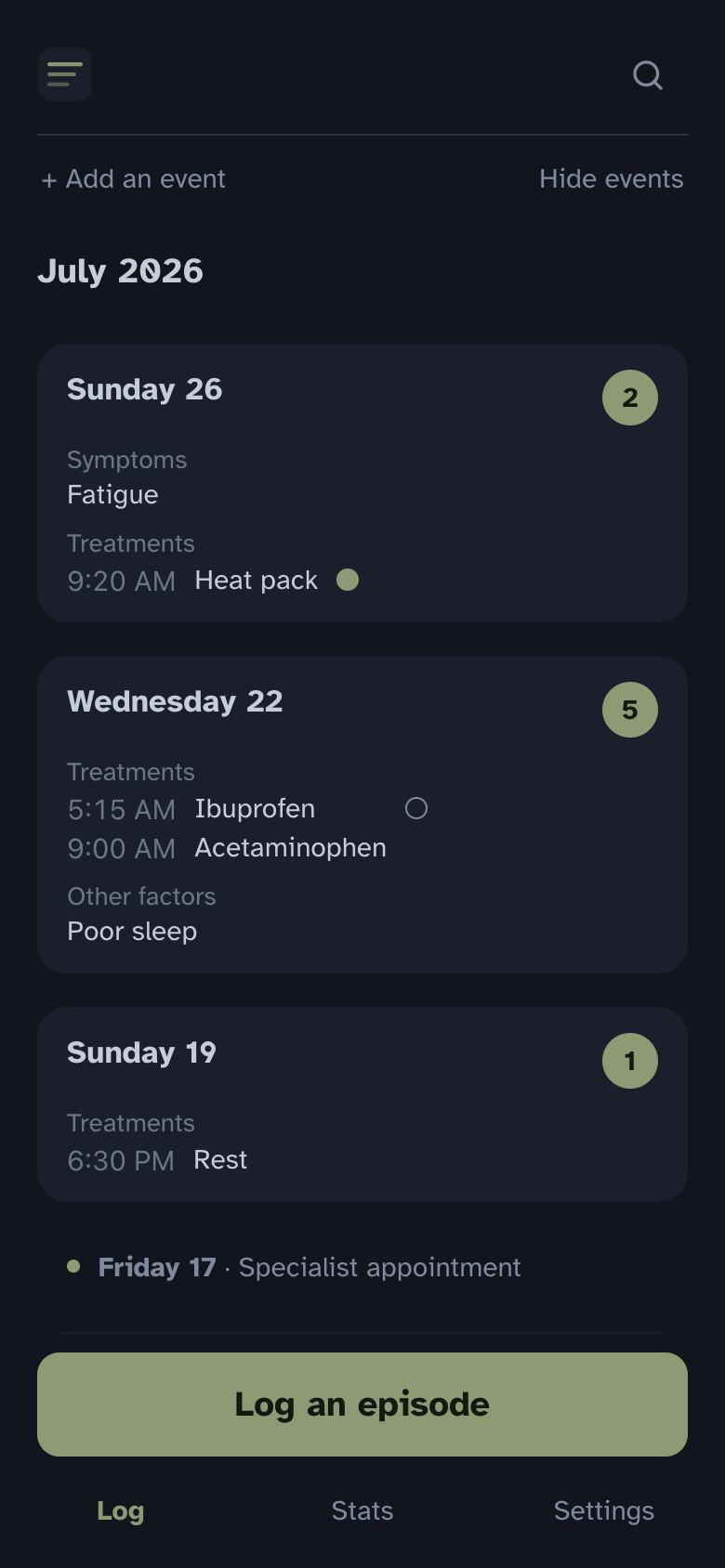
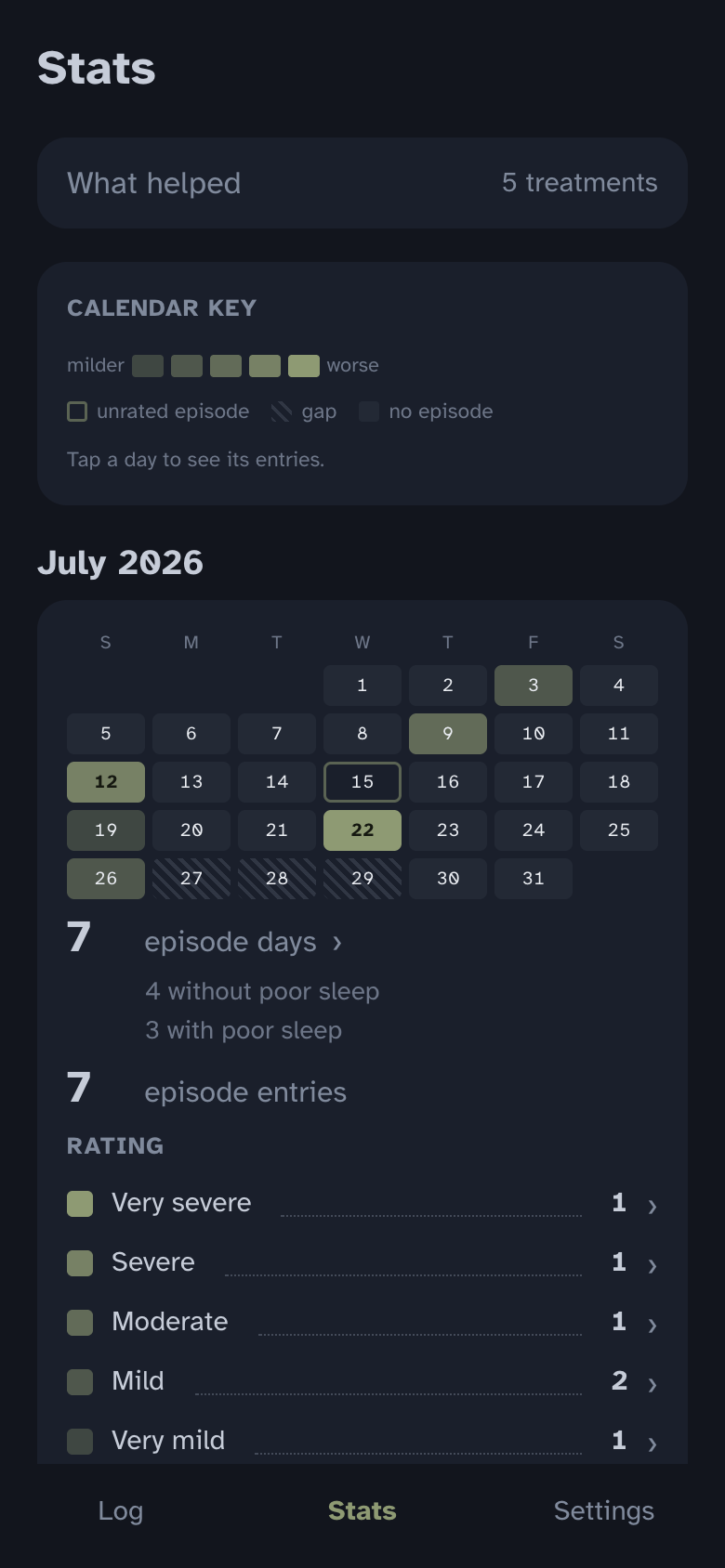
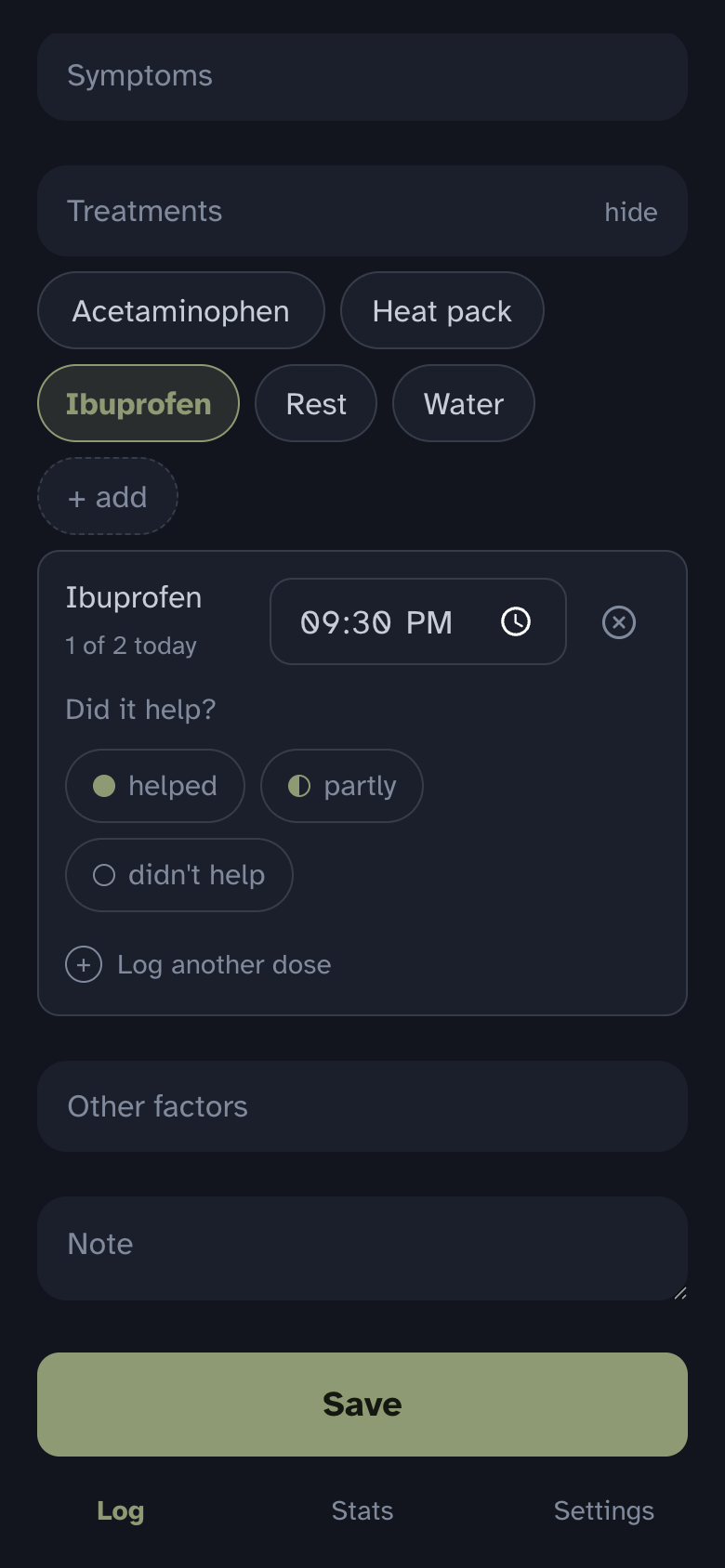
Shown with invented sample data.
The product page at dusknote.app explains what it does and how to set it up, and there's a live demo to test it out.
Key decisions focused on user privacy and portability
I set this up for myself with privacy and portability in mind, so as an open-source project, everyone else gets that as well.
The backup is something you can read anytime. Cloud backups fail in ways you cannot see until you need them. A spreadsheet in your own Google Drive can be read and checked any time.
There is no server, and your data is yours. This means there is no log-in or account to create, no company in the middle, and nothing that can shut down or start charging you later (there is literally nowhere to put a paywall). Your copy talks only to your own Google Drive. Dusknote has no analytics in the app, no user list, and no mailing list.
You choose which tools in the process best serve you. If you don't want to use AI, you don't have to. And if Google isn't a tool you want your health data in, you don't have to use that either. I chose Google because I wanted a plain, readable spreadsheet of everything I'd logged, with a monthly PDF as a failsafe. Skip that step and the app still works the same way, with everything saved on your phone.
Condition-neutral, personalized as you wish. I track migraines, but someone else may track flares, or seizures, or sleep. The words for what you track, what kinds of rating words are meaningful to you, your symptoms and treatments, and any factors you want watched are all your own to set. This personalization is never saved in the code.
Calm design. The background is dark and the main color is a muted green, and there is a big button on the main screen to quickly log an entry. Even alerts are a muted amber, instead of bright red. My design mandate was calm, easy on the eyes (even in the middle of the night), simple, and intuitive.
A customizable report. When exporting or sharing a report, you can decide what goes in, and it exports as a PDF from your phone. You decide who it goes to via the share sheet, whether that's an Airdrop, a text, an email, whatever works best for you.
It does this one thing well. This is all it does: track things you write down. It cannot talk to Apple Health, because it is a web app. And I know that it will likely not match the polish of a funded native app with a full-time team. I simply wanted something I owned from end-to-end, and thought others might like that as well.
The repo teaches itself (and you!)
My goal in this open-source version was to make ownership easy for someone who has never deployed anything.
You create your own copy using three free accounts (GitHub, Vercel, and Google) in about an hour (can definitely be less!). You can do it manually (simply follow the written guide step by step), or you can let an AI assistant walk you through it, to help troubleshoot the process if it's new to you. For setup with AI in specific, you are never asked to paste anything sensitive into a chat, unless you'd like AI to help with the import of historical data (you can do this phase manually as well). The copy you make runs the same reviewed code I already built, and uses the same calm design as well.
Building the project with Claude
What was fun with this project was that I designed and wrote the product, and Claude wrote the code. Two core lessons were reinforced again and again:
The product work does not change when an AI writes the code. Years of honing my expertise made it much easier to decide what the tool would be, and when to push back and say no, or scrap an idea entirely and start again.
Plain language is a superpower. If I could not understand a decision or its consequences, I would not implement it. Every technical choice had to be explained in words and concepts I could understand fully, and I applied the same logic to all of the repo documents and guides.
Here are a few examples of what working with an AI looked like in practice:
- Every change went on a branch, through a pull request with automated checks.
- I interrogated every decision, change, and feature with Claude. I pushed back when something didn't make sense or was unnecessary, and I made sure I understood the consequences of every decision before we built, even if it took multiple rounds of explanations.
- I reviewed every pull request description before it opened, and every line of copy and written text in the app and in every live document.
- Any change to how a screen looked got a mockup in the app's real look before it was built, and I continually re-grounded in our design system throughout.
- I did multiple review passes before publishing, including privacy, security, accessibility, bugs, logic, copy, and more. They caught anomalies and unintended syncs, and improved the written guides and in-app nudges throughout.
- The bugs that mattered were found by real use testing. I had been using versions of this app in practice for months before launch.
Remember when the internet was fun?
I made this free and clone-able from the beginning. I didn't want anyone between me and my data, and I assumed others might not either. Anything that put my app between you and your data was rejected as a feature. This is why there is no server, no log-in, and why it's built so that I never touch anyone else's data.
Also, I came up through the internet in the aughts and the 2010s, and it was such a time of making cool stuff and sharing it. I miss that. I wanted to bring it back in a tiny way through this project.
Dusknote is at dusknote.app, and the code is on GitHub. If you make your own copy and use it, let me know what you think!
---